ConfigMap 이란?
- 컨테이너 구성 정보를 한곳에 모아서 관리(key:value 타입의 데이터 형식)
[문제]
Expose Configuration settings
Task:
1. All operations in this question should be performed in the ckad namespace
2. Create a ConfigMap called web-config that contains the following two entries:
- connection_string=localhost:80
- external_url=cncf.io
3. Run a pod called web-pod with a single container running the nginx:1.19.8-alpine image, and expose these configuration settings as environment variables inside the container.
[풀이]
- namespace 확인 후 없을 경우 생성
# kubectl get namespaces ckad
Error from server (NotFound): namespaces "ckad" not found

# kubectl create namespace ckad
namespace/ckad created

# kubectl get namespaces ckad
NAME   STATUS   AGE
ckad   Active   7s
- ckad namespace에 ConfigMap 생성
# kubectl create configmap web-config --from-literal=connection_string=localhost:80 --from-literal=alexternal_url=cncf.io -n ckad
configmap/web-config created

# kubectl get configmaps -n ckad
NAME               DATA   AGE
kube-root-ca.crt   1      8m55s
web-config         2      11s

아래와 같이 Key Value 형태 데이터 확인 가능
# kubectl describe configmaps -n ckad web-config
Name:         web-config
Namespace:    ckad
Labels:       <none>
Annotations:  <none>

Data
====
alexternal_url:
----
cncf.io
connection_string:
----
localhost:80

BinaryData
====
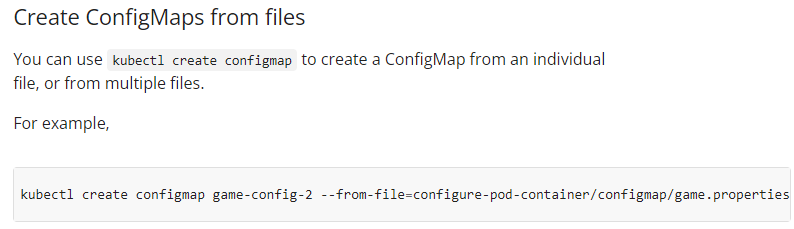
ConfigMap 생성 관련은 아래 docs 참고
https://kubernetes.io/docs/tasks/configure-pod-container/configure-pod-configmap/
- nginx pod 생성
# kubectl run web-pod --image=nginx:1.19.8-alpine --port=80 --dry-run=client -o yaml > web-pod.yaml

// 아래와 같이 web-pod에 ConfigMap 설정
# vi web-pod.yaml
apiVersion: v1
kind: Pod
metadata:
  name: web-pod
  namespace: ckad
spec:
  containers:
  - image: nginx:1.19.8-alpine
    name: web-pod
    envFrom:
    - configMapRef:
        name: web-config
    ports:
    - containerPort: 80

# kubectl apply -f web-pod.yaml
pod/web-pod created

# kubectl get pod -n ckad
NAME      READY   STATUS    RESTARTS   AGE
web-pod   1/1     Running   0          34s
pod 내 ConfigMap 설정은 아래 링크 참고

- ConfigMap 환경설정 적용 확인
alexternal_url=cncf.io
connection_string=localhost:80
# kubectl exec -n ckad web-pod -- env
PATH=/usr/local/sbin:/usr/local/bin:/usr/sbin:/usr/bin:/sbin:/bin
HOSTNAME=web-pod
NGINX_VERSION=1.19.8
NJS_VERSION=0.5.2
PKG_RELEASE=1
alexternal_url=cncf.io
connection_string=localhost:80
KUBERNETES_SERVICE_PORT=443
KUBERNETES_SERVICE_PORT_HTTPS=443
KUBERNETES_PORT=tcp://10.96.0.1:443
KUBERNETES_PORT_443_TCP=tcp://10.96.0.1:443
KUBERNETES_PORT_443_TCP_PROTO=tcp
KUBERNETES_PORT_443_TCP_PORT=443
KUBERNETES_PORT_443_TCP_ADDR=10.96.0.1
KUBERNETES_SERVICE_HOST=10.96.0.1
HOME=/root
[참고]
- 유투브 따배씨
'자격증 > CKA' 카테고리의 다른 글
| [CKA] Ingress 구성 (0) | 2023.04.02 |
|---|---|
| [CKA] Secret 운영 (0) | 2023.04.01 |
| [CKA] NodePort 서비스 생성 (0) | 2023.03.31 |
| [CKA] init 컨테이너를 포함한 Pod 운영 (0) | 2023.03.27 |
| [CKA] CPU 사용량이 높은 Pod 검색 (0) | 2023.03.27 |

